
Last verified: August 10, 2026
A TradingView alert is most useful when its condition, frequency, notification, and purpose are clear before you create it. This checklist gives you a repeatable ten-step process for price, indicator, and drawing alerts, plus a short review plan for the moment an alert fires.
FREE TRADINGVIEW RESOURCE
Configure clearer alerts in ten checks
Use the browser checklist below or download the printable one-page PDF. The checklist is educational and does not turn an alert into a trading signal.
TradingView Alert Checklist
- Open the correct symbol and timeframe. Confirm the exchange, instrument, and chart interval before creating the alert.
- Define the setup. Write down the exact event you want to monitor instead of relying on a vague idea.
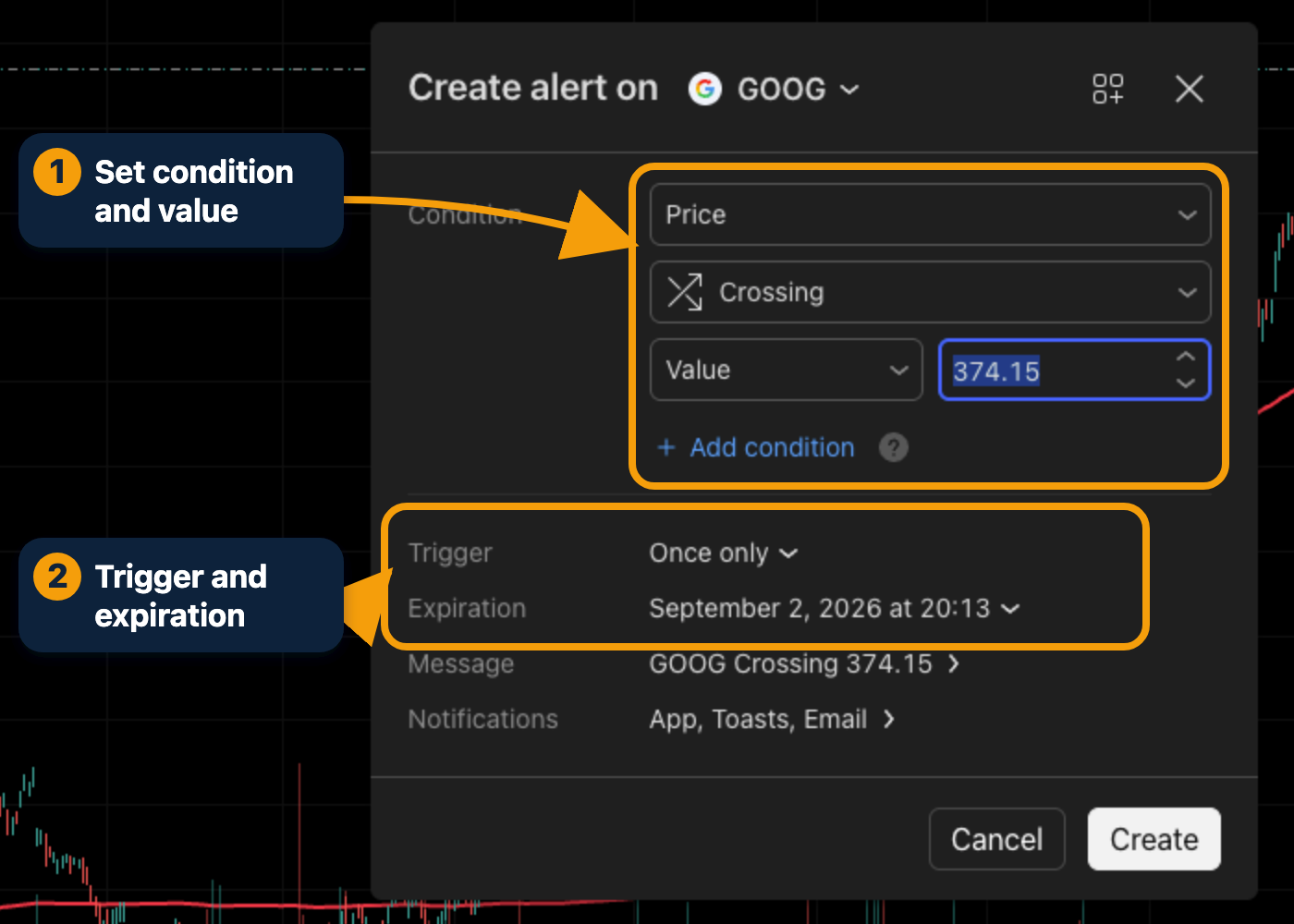
- Choose the condition source. Select price, an indicator, or a chart drawing such as a trendline.
- Select a precise trigger. Use Crossing Up, Crossing Down, Greater Than, Less Than, or another condition that matches the plan.
- Confirm the frequency. Decide whether the alert should fire once, once per bar, or only after the bar closes.
- Set expiration. Choose a useful expiration date and check whether your TradingView plan limits the alert.
- Choose notifications. Enable the app, email, popup, sound, or webhook channels that fit your workflow.
- Write a clear message. Include the symbol, timeframe, condition, and reason you created the alert.
- Confirm that it is active. Review the alert in the Alerts panel and test the setup when possible.
- Plan the response. Decide in advance what you will verify when the alert fires.
What to Check When an Alert Fires
1. Recheck price and volume. The chart may have changed since you created the alert.
2. Confirm the wider context. Review market direction, earnings, news, and nearby support or resistance.
3. Follow the plan. An alert asks you to review a chart. It should not trigger an automatic discretionary decision.
Continue Learning
Follow the illustrated steps in our TradingView alerts guide, compare useful tools in the beginner indicators guide, or start with the complete TradingView beginner’s guide.
Create an Alert on TradingView
Affiliate note: TradeProperly may earn a commission from qualifying TradingView purchases made through our links, at no extra cost to you.
Important: Alerts are monitoring tools, not trading recommendations. They can fail, arrive late, or trigger during fast-changing market conditions. Always verify the chart and apply your own risk process before making a decision.