
Last verified: August 10, 2026
TradingView is a strong general-purpose charting and market-research platform, but it is not the best fit for every workflow. StockCharts focuses heavily on technical scanning and organized chart lists, TrendSpider emphasizes no-code automation and strategy testing, Koyfin is stronger for fundamental and macro research, and MetaTrader 5 is designed around broker-connected trading and algorithmic execution.
The best TradingView alternative depends on the problem you are trying to solve. This comparison uses official product and pricing information, but features, data coverage, and prices can change. Test each platform with the markets and devices you actually use.
Important: Charting, screening, backtesting, automation, and community tools do not guarantee trading results. Broker availability and market data can vary by country, account, exchange, and professional status.
TradingView Alternatives: Quick Comparison
| Platform | Best considered for | Key trade-off |
|---|---|---|
| TradingView | Accessible multi-market charts, alerts, community scripts, and Paper Trading. | Free-plan limits and separate exchange-data costs in some markets. |
| StockCharts | US-focused technical chart organization, scans, ChartLists, and specialized chart views. | Its workflow and market scope are less universal than TradingView’s. |
| TrendSpider | No-code strategy testing, multi-factor alerts, bots, and automated technical tools. | It is a premium, more complex platform with capacity-based plans and add-ons. |
| Koyfin | Global fundamentals, valuation, macro, dashboards, and portfolio research. | It is research-first rather than a broker-execution platform. |
| MetaTrader 5 | Broker-connected forex/CFD/exchange trading and MQL5 automation. | Symbols, data, costs, and execution depend heavily on the selected broker. |
1. TradingView: Best General-Purpose Starting Point
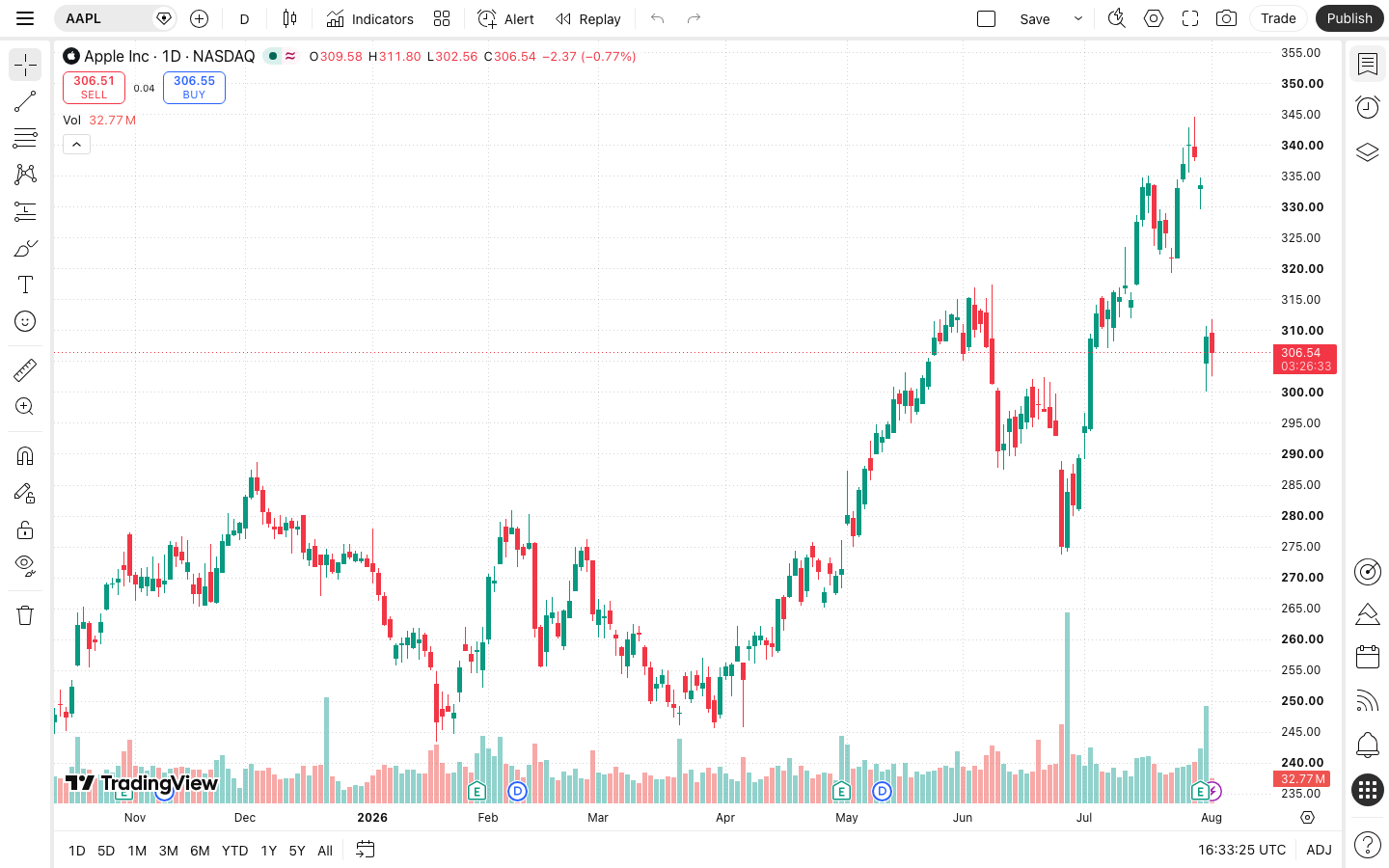
TradingView combines Supercharts, screeners, alerts, Paper Trading, Pine Script, community ideas, and supported broker connections across web, desktop, and mobile interfaces. The free Basic plan is enough to learn the platform, although advertisements and low chart, indicator, layout, and alert limits apply.
Choose TradingView first if you want:
- A browser-based charting interface that covers several asset classes.
- A free starting plan and built-in simulated trading.
- Price and technical alerts integrated with charts and drawings.
- Pine Script and a large public-script ecosystem.
- Optional trading through supported brokers.
Start with our TradingView beginner’s guide and compare current limits in our TradingView pricing guide.
2. StockCharts: Best for Organized Technical Scanning
StockCharts offers SharpCharts, its Advanced Charting Platform, ChartLists, technical scans, price and technical alerts, Point & Figure charts, Relative Rotation Graphs, PerfCharts, Seasonality Charts, MarketCarpets, and ChartSchool education.
Its official pricing page currently lists a free tier and Basic, Extra, and Pro service levels. The free level has limited indicators and chart functionality, while paid levels add saved charts, custom scans, alerts, ChartLists, layouts, and longer history. Official real-time exchange packages for supported markets can be billed separately.
Consider StockCharts if: your workflow centers on technical scans, large organized chart lists, US/Canadian/UK equities, or specialized views such as RRG and Point & Figure charts.
TradingView may be better if: you want broader multi-asset coverage, Pine Script, a larger social-script ecosystem, or a more unified web/mobile chart experience.
Visit StockCharts’ official feature page
3. TrendSpider: Best for No-Code Automation
TrendSpider emphasizes automated technical analysis, no-code strategy testing, multi-factor and dynamic alerts, market scanning, strategy bots, backtesting, and AI-assisted tools. Its official materials state that all plans include the feature set while plan tiers mainly change usage limits such as workspaces, bots, alerts, chart intervals, and test depth.
The platform supports browser and mobile access and lists real-time data for several markets, with some professional and futures feeds carrying additional fees. Pricing and promotions change, so compare the total renewal cost and required data add-ons directly.
Consider TrendSpider if: your main requirement is no-code multi-condition alerts, strategy testing, automated monitoring, or bots rather than a large free charting community.
TradingView may be better if: you want a free starting tier, simpler manual charting, Pine Script, and broad public community content.
4. Koyfin: Best for Fundamental and Macro Research
Koyfin focuses on global equities, company fundamentals, valuation, estimates, bonds, yield curves, foreign exchange, ETFs, mutual funds, economic data, dashboards, watchlists, screening, charting, and portfolio research.
Its current official comparison includes Free, Plus, Premium, and advisor plans. Limits differ for financial history, alerts, watchlists, graphs, exports, and other research tools. Koyfin’s own data overview notes that some equity and ETF prices are live or delayed while many other markets use end-of-day data, so time-sensitive users should verify each dataset.
Consider Koyfin if: you primarily compare companies, valuation metrics, financial statements, portfolios, global macro series, and cross-asset dashboards.
TradingView may be better if: your main workflow is technical charting, custom indicators, chart-based alerts, Paper Trading, or connected execution.
Visit Koyfin’s official plan comparison
5. MetaTrader 5: Best for Broker-Connected Trading and MQL5
MetaTrader 5 provides charts, technical and fundamental tools, market depth, order types, netting and hedging account modes, broker-connected trading, and algorithmic trading through the MQL5 development environment. The desktop platform, web version, and mobile apps do not provide one universal market feed; the broker connection determines available symbols, prices, spreads, execution, and account conditions.
Consider MetaTrader 5 if: you need a broker-supplied platform for forex, CFDs, futures, stocks, or automated strategies built in MQL5, subject to the broker’s offering.
TradingView may be better if: research across several providers, modern browser charts, screeners, social ideas, and platform-independent watchlists matter more than broker-specific execution.
Visit the official MetaTrader 5 platform page
Best Free TradingView Alternatives
For a no-subscription starting point, compare StockCharts’ free charts, Koyfin Free, and the free MetaTrader 5 platform. They solve different problems; a free download or limited research tier is not the same as free exchange data or cost-free trading.
| Option | Useful free starting point | Important boundary |
|---|---|---|
| StockCharts | Basic browser charts with limited indicators and overlays. | Saved ChartLists, scans, and alerts belong to paid service levels; exchange packages may cost extra. |
| Koyfin Free | Company and market research, with limited graphs, watchlists, and financial history. | Check the current Free-tier limits before building a research workflow around it. |
| MetaTrader 5 | Free desktop and mobile software, with broker-connected charts and available demo accounts. | The broker determines symbols, feeds, account conditions, and live-trading costs. |
Compare against Basic first: if your only issue is the price of a paid TradingView plan, you may not need a different platform. Our TradingView Free vs Paid guide separates upgrade needs from optional features. For a simple two-indicator setup, see our beginner indicator guide.
Free-access models checked September 28, 2026 against StockCharts’ service levels, Koyfin’s plan comparison, and MetaTrader’s platform information.
Sites and Apps Like TradingView: Check Your Actual Workflow
A similar-looking chart does not make two platforms interchangeable. Before moving, recreate one chart, one alert, and one research task on the device you actually use.
- Browser research: compare StockCharts for technical chart organization and Koyfin for company and macro research.
- Automation: compare TrendSpider when strategy testing and automated monitoring are the missing tools, rather than assuming it is a free replacement.
- Broker-connected execution: compare MetaTrader 5 using the broker and account you intend to use, not a generic feature list.
- Mobile use: verify the exact chart, alert, and order workflow. A mobile app or mobile-friendly website does not establish feature parity with desktop.
Also check whether your existing indicators, scripts, alerts, and saved layouts can be recreated. For practice without changing platforms, start with our TradingView Paper Trading guide.
Which TradingView Alternative Is Best for You?
| Primary need | Platform to compare first |
|---|---|
| Free, accessible multi-market charts | TradingView Basic |
| Technical scans and organized equity chart lists | StockCharts |
| No-code strategy testing, complex alerts, and bots | TrendSpider |
| Fundamental, valuation, portfolio, and macro research | Koyfin |
| Broker-connected execution and MQL5 automation | MetaTrader 5 |
How to Test a Platform Before Paying
- List the exact markets, exchanges, and data frequency you require.
- Recreate one normal chart, screener, alert, or research workflow.
- Check whether real-time data, professional status, exports, or broker connections cost extra.
- Test the mobile and desktop experience you will actually use.
- Review the trial’s billing, cancellation, renewal, and refund terms.
- Compare total annual cost, not only a promotional monthly equivalent.
- Export or document your work before a trial ends.
TradingView Alternatives FAQ
What is the best free alternative to TradingView?
It depends on the task: compare StockCharts for simple browser charts, Koyfin Free for company research, or MetaTrader 5 for a broker-connected workflow. Check free-tier limits and data costs first.
Is TrendSpider a free TradingView alternative?
No. TrendSpider uses paid plans and offers a paid trial. Keep it on the shortlist for automation and strategy testing, not as a no-cost substitute. Check whether coupon FAST5 applies at checkout.
Should I switch platforms or upgrade TradingView?
Upgrade only if a higher limit solves the problem. Compare another platform when the missing capability is different, such as fundamental research or broker-specific execution. Use our TradingView pricing comparison to check the upgrade cost.
Final Verdict
TradingView remains the most balanced starting point in this group for accessible multi-market charting, alerts, community scripts, and simulated practice. StockCharts is a focused alternative for technical equity workflows, TrendSpider for automation, Koyfin for fundamentals and macro research, and MetaTrader 5 for broker-connected trading and MQL5 automation.
Choose the platform that solves your main workflow with the fewest unnecessary tools. Using two specialized platforms can sometimes be more practical than forcing one platform to handle research, automation, data, and execution equally well.
Try TradingView Basic View TrendSpider Plans
Affiliate note: We may earn a commission from qualifying TradingView and TrendSpider purchases made through our links, at no extra cost to you.